
Product
Integrations & Exports
Send leads to any CRM or webhook, and export everything to CSV.
Send Lead to API
A journey step makes a configurable outbound request to any CRM or webhook the moment a recipient responds, so leads reach your systems in real time.
Any CRM or webhook
Point the step at any HTTPS endpoint. If your CRM or tool accepts an inbound request, HighByrd can send to it.
Configurable request
Set the method, headers, body template, and a timeout from 1 to 60 seconds. Map merge variables into the payload so the receiving system gets the fields it expects.
Fired by the journey
The call fires on a journey transition, such as a form submission, so the hand-off happens at the exact step you choose, in real time.
Export to CSV
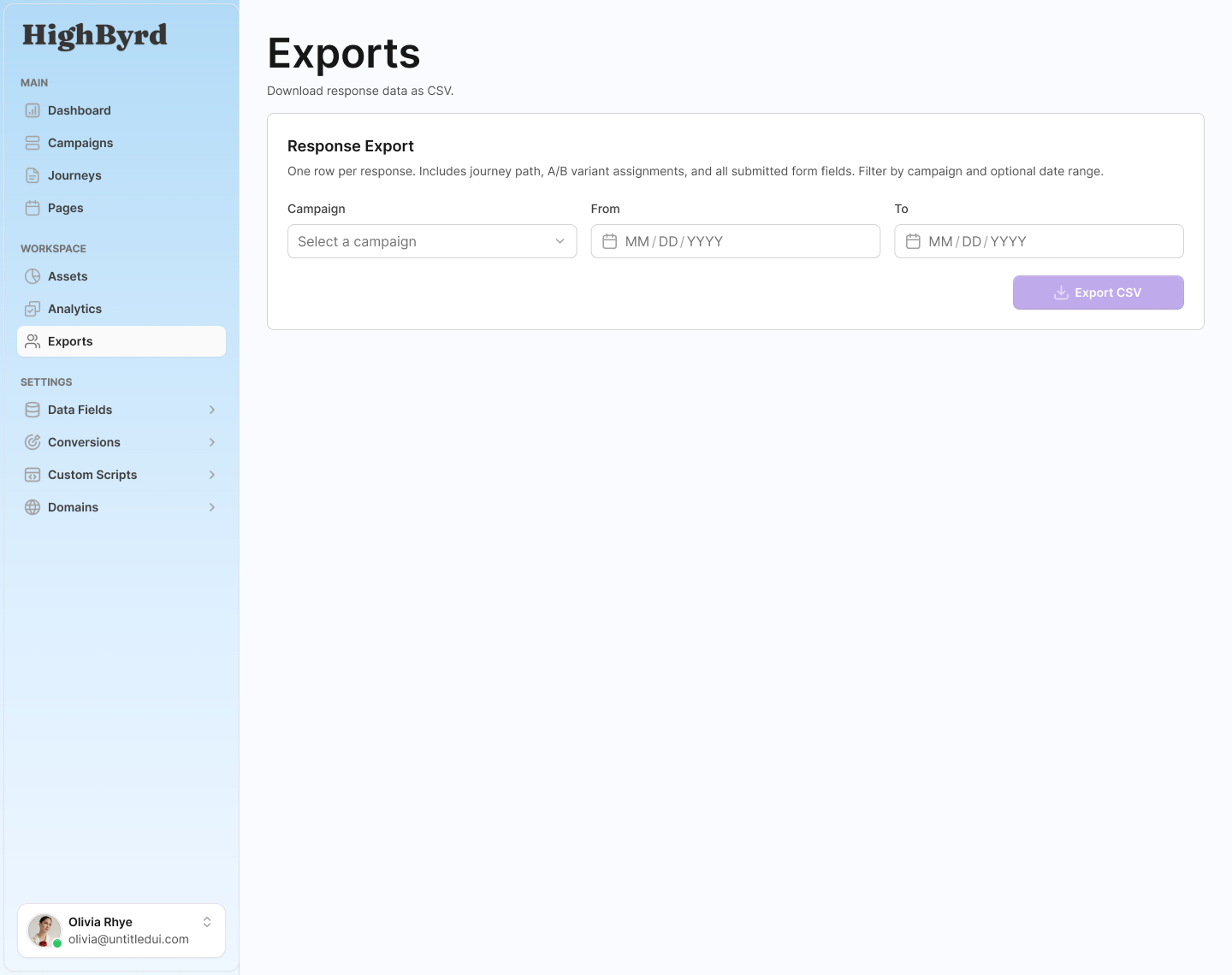
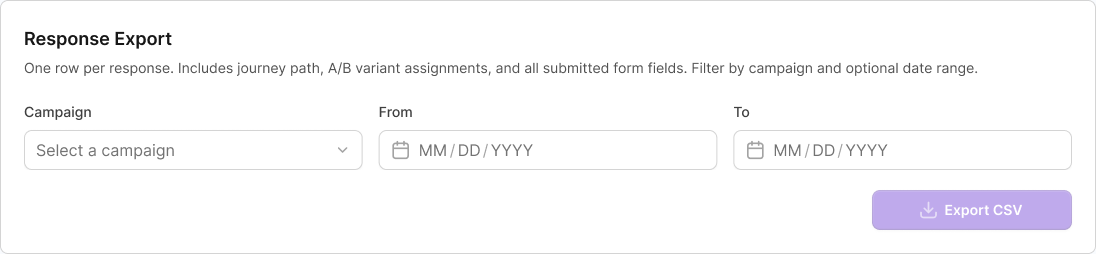
Export the data you need for printing, mailing, and reporting, filterable by campaign and date.
PURLs and QR codes
Export every recipient's PURL and QR code, ready to hand to your printer or mail house.
Responses
Export responses and journey progression so you can analyze who engaged and how far they got.
Form submissions
Export the data recipients submitted through journey forms, by campaign and date range.
Bring your own analytics
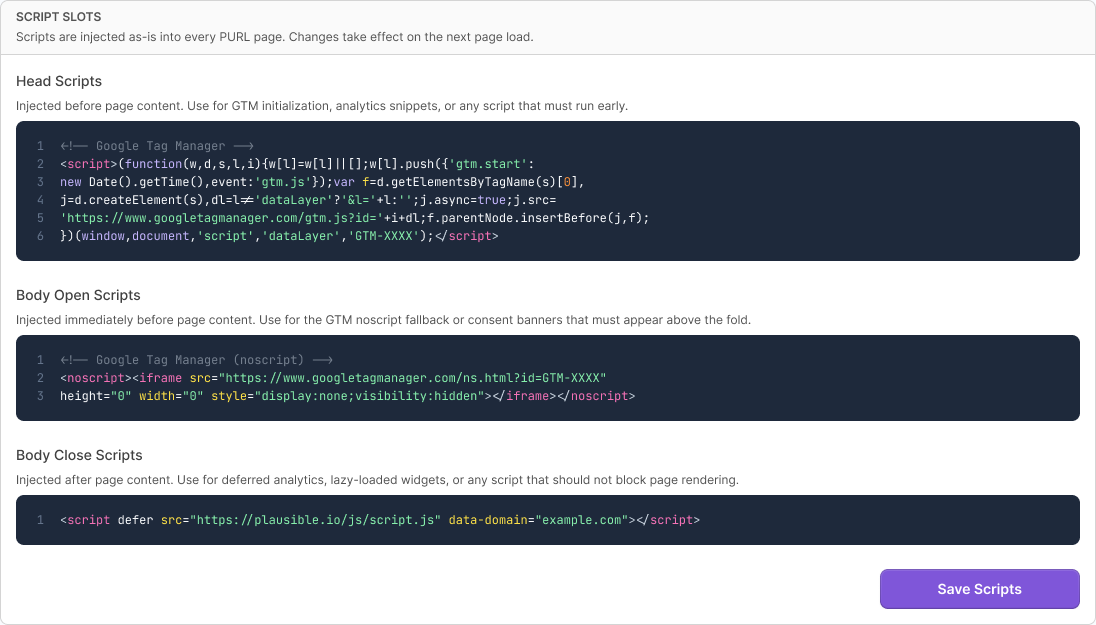
Inject your own script tags into every PURL page so your existing analytics and tag stack sees the traffic.
Three injection points
Add scripts at the head, just after the body opens, or just before it closes, so tools that need a specific position work correctly.
Google Analytics, Segment, and more
Drop in the tags you already use. The scripts apply across all PURL pages in the organization.
Up to 50KB per slot
Each injection point holds up to 50KB, enough for the tag managers and analytics snippets teams typically run.
What HighByrd does not do, on purpose
Being clear about the boundary is a feature. You always know exactly how leads move and where the lines are.
No native email or SMS
HighByrd does not send emails or texts. Automation lives in the on-page journey, and outbound hand-off is the API step. Use your own email or SMS tool on the other end of the API call.
No one-click CRM connectors
There are no pre-built named connectors. You connect with a configurable HTTP request, which works with any system that accepts one.
No black box
Because the integration is a request you configure, you can see exactly what is sent, when, and to where.
Why it holds up
Configurable beats locked-in
A configurable HTTP step reaches more systems than a fixed list of connectors, and it stays in your control.
Reaches anything with an endpoint
You are not limited to a vendor's connector list. Any CRM, webhook, or automation platform that accepts an inbound request can receive a lead.
You own the payload
You define the headers and body and map exactly which fields go out, so the receiving system gets clean, expected data.
Honest about scope
No implied email, SMS, or turnkey connectors means no surprise gaps after you sign up. The integration does exactly what it says.
Connect HighByrd to the tools you already run.
Send leads to any CRM or webhook in real time, export everything to CSV, and keep your own analytics on every page.
Integrations & Exports FAQ
Short answers to common questions about integrations & exports in HighByrd.
Does HighByrd connect to my CRM?
Yes. HighByrd sends responding leads to your CRM or webhook through a configurable Send Lead to API step in the journey. You set the method, headers, and body and map your fields into the payload, so it works with any system that accepts an inbound HTTP request. It is configurable HTTP, not a pre-built connector.
Are there pre-built CRM connectors?
No. HighByrd has no pre-built named connectors. Instead, the Send Lead to API step makes a configurable outbound HTTP request, so it works with anything that accepts an inbound request rather than a fixed list of vendors. You set the method, headers, and body template yourself.
Does HighByrd send emails or texts?
No. HighByrd has no native email or SMS. Automation lives in the on-page journey, and outbound hand-off is the configurable Send Lead to API step. If you want to send an email or text, connect your own email or SMS tool on the other end of that API call.
Can I export my PURLs and QR codes for printing?
Yes. You can export every recipient's PURL and QR code to CSV, ready to hand to your printer or mail house. The same exports cover responses and form submissions, and you can filter by campaign and date range.
Can I add Google Analytics or Segment to my pages?
Yes. You can inject your own tracking scripts, such as Google Analytics or Segment, at three points on every PURL page: the head, just after the body opens, and just before it closes. The scripts apply across all PURL pages in the organization, and each slot holds up to 50KB.
Can leads reach my system in real time?
Yes. The Send Lead to API step fires on a journey transition, such as a form submission, so the hand-off happens the moment a recipient responds. The outbound request runs with a configurable timeout from 1 to 60 seconds, so leads reach your CRM or webhook in real time.